

Welcome to Realhaus! Applying to rent a home on Realhaus is easy and secure – You’re just a few steps away from finding your next home. Whether you’re relocating, upgrading, or just exploring new options, we make the renting process simple, transparent, and stress-free.
To submit a rent application, just follow the steps below:
1. Complete the “Getting Started” Guide
Before applying for a rental, make sure to go through the Getting Started guide. This guide helps us set up your account, verify your identity and tailor your experience.
Note: If you’ve already completed this, feel free to skip to the next step.
2. Fill Out Your Tenant Profile
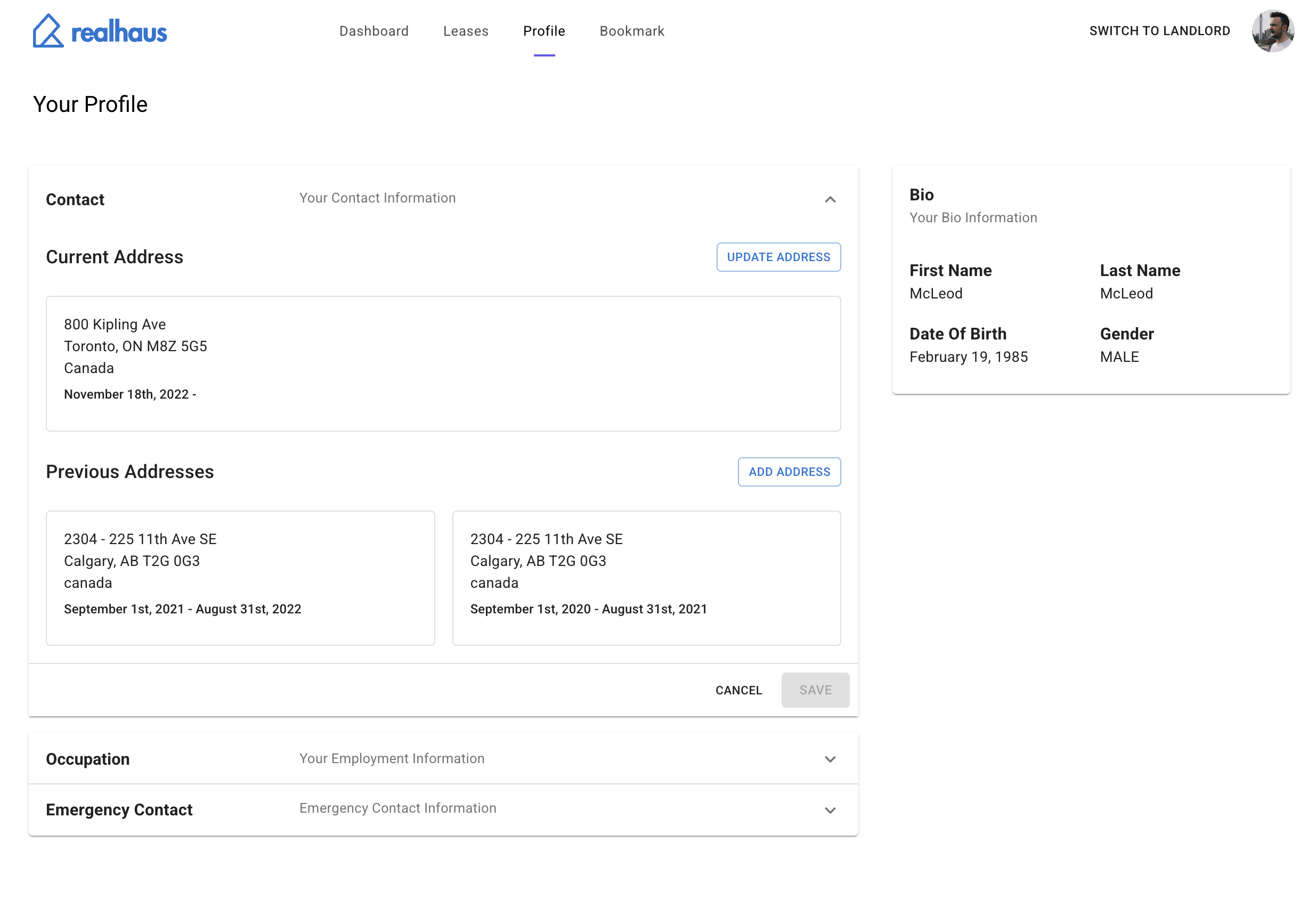
Next, head over to your tenant profile. This is where you’ll provide essential details that landlords use to evaluate your application. In the tenant profile, you should endeavour to complete all sections of the profile.
Here’s what you’ll need to include:
- Previous Residences: List your past addresses, how long you lived at each one, and the reason for leaving. This helps landlords understand your rental history.
- Past Landlords (if applicable): Provide the name and contact information of previous landlords. This can add credibility to your application and speed up approval.
- Occupation: Share your current job title, employer name, and how long you’ve been employed. If you’re self-employed, include your business name and type.
- Emergency Contact: Add a reliable contact who can be reached in case of emergencies. Include their name, phone number, and relationship to you.
🛠 Tip: Double-check your entries for accuracy as this would make up the decision-making process.
Once your tenant profile is complete, it will be attached to every application you submit, making it easy for landlords to get the full picture.
Your information is kept secure and only shared with landlords you apply to.
3. Find a Property & Apply
Once your profile is complete, go to the listing and click Apply Now to submit your application.
If you do not have a listing yet,
- Go to the Listings section.
- Browse through available rental properties.
- When you find one you like, open the listing.
- Click Apply Now to submit your application.
Your tenant profile will be automatically included with your application for the landlord to review.