

Your rent application was accepted. Congratulations!
Once a landlord has approved your rental application, the next step is to review and sign your lease agreement. Realhaus makes this process simple, transparent, and secure. Everything happens online, so there’s no need for printing, scanning, or mailing documents.
Step 1: Receive Your Lease Invitation
After your landlord finalizes the agreement, you’ll receive a notification from Realhaus that your lease agreement is ready to review. It will appear in your Leases tab within your Realhaus dashboard, with important details summarized at a glance.
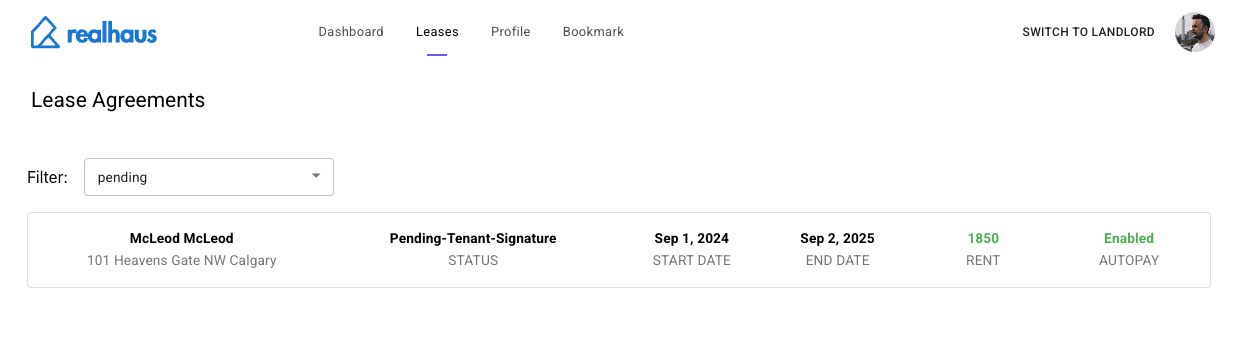
Step 2: Open and Review the Lease Agreement
Click on the lease entry to open the full Residential Tenancy Agreement. Here you’ll see a professional, legally compliant contract tailored to your province.
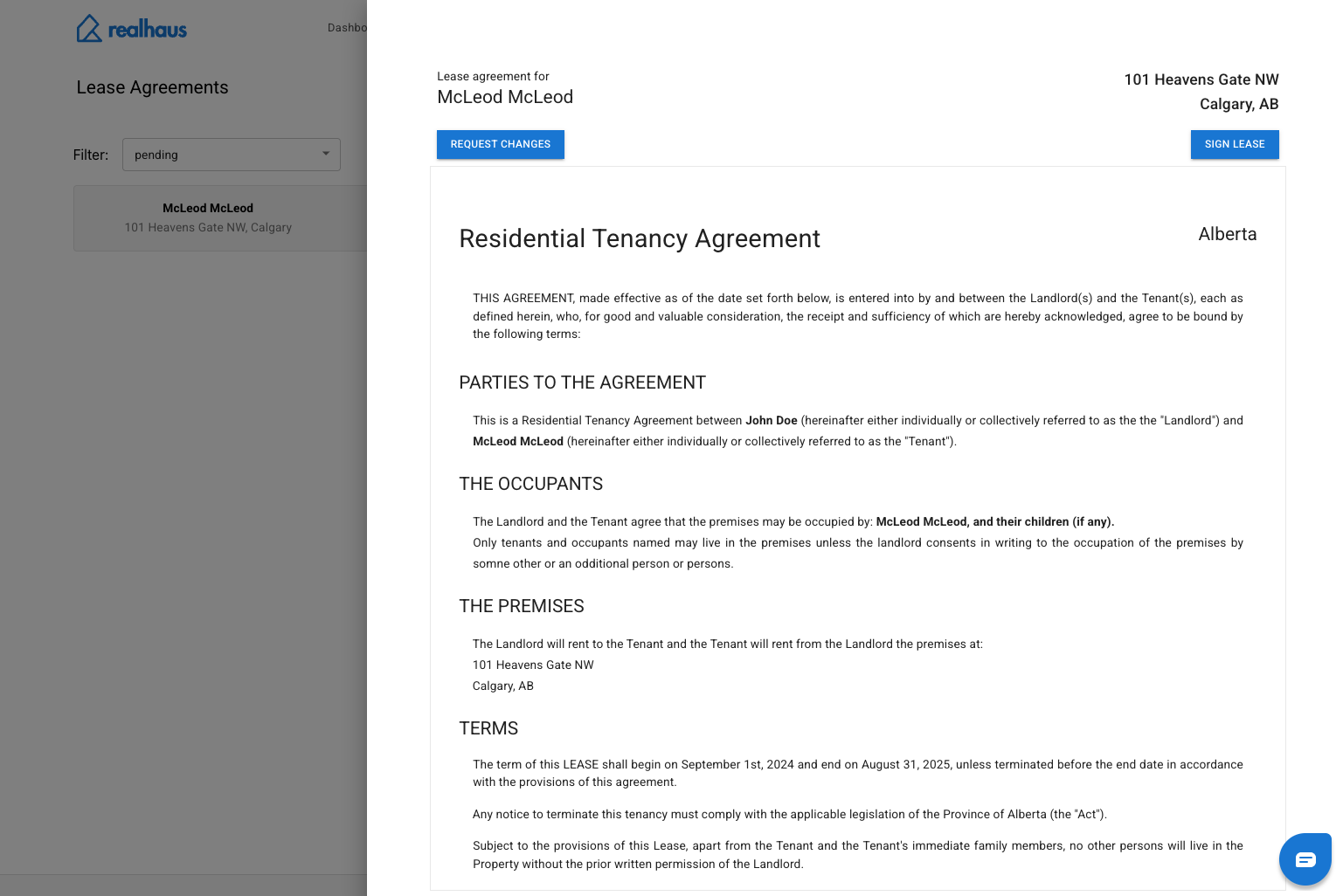
The agreement is organized into clear sections, which will include:
- Parties to the Agreement: Identifies you (the tenant) and your landlord.
- The Occupants: Lists who is allowed to live in the rental unit.
- The Premises: Specifies the property address and description (e.g., number of bedrooms).
- Lease Term: Confirms the official start and end dates of your tenancy.
- Financial Terms: Outlines your rent, deposits, and any other fees.
- Clauses & Rules: Covers obligations such as subletting, property maintenance, and house rules like noise or waste disposal.
This layout makes it easy to scan and understand exactly what’s expected of both you and your landlord.
Step 3: Request Changes if Needed
If something doesn’t match what you agreed upon, Realhaus gives you a simple way to raise it. At the top of the lease screen, click the Request Changes button.
This sends a notification to your landlord and allows them to make updates. All communication stays inside Realhaus, so there’s a clear record of discussions and edits—no messy email chains or lost messages.
Step 4: Sign the Lease Online
When you’re ready, click the Sign Lease button. This applies your secure digital signature to the agreement, making it legally valid and binding.
Once you sign:
- The lease status updates automatically.
- Your landlord is notified right away.
- The lease becomes locked until both parties have signed.
After your landlord signs as well, the lease is finalized.
Step 5: Access Your Signed Lease Anytime
After both parties have signed, the completed agreement is stored securely in your Realhaus dashboard. You can:
- View your lease online at any time.
- Download a copy for your personal records.
- Revisit terms, dates, or rules whenever needed.
Your lease is always at your fingertips—safe, organized, and easy to find.
Why Signing on Realhaus Benefits You as a Tenant
Realhaus is designed to make renting less stressful and more transparent. By signing your lease through the platform, you gain:
- Convenience: Review and sign from your phone, tablet, or computer—wherever you are.
- Clarity: Every term, fee, and rule is clearly spelled out before you commit.
- Confidence: Digital signatures are legally binding and securely stored.
- Speed: No back-and-forth paperwork delays—sign and move forward faster.
- Access: Keep your lease stored in your Realhaus account for easy reference.
✅ Final Tip: Always review every section of your lease carefully. If you’re unsure about any detail—big or small—use the Request Changes button or send a message to your landlord in Realhaus. Once everything looks right, sign with confidence knowing your lease is official, secure, and always accessible to you.